Extreme Clipboard Monitor: Smart Clipboard Saver for Windows
Never lose your clipboard data again!
Extreme Clipboard Monitor is a lightweight clipboard manager for Windows that tracks clipboard changes in real time, instantly saving new data to the folder of your choice without any interaction from your side. This is how it works:
- Monitors clipboard in the background: the software runs silently in the Windows tray and instantly reacts to the clipboard changes as you work
- Detects clipboard data types: the same data can be placed to the clipboard in several different formats
- Saves clipboard data to the files with matching formats: plain text in .txt files, HTML in .html, rich text in .rtf, images in .png or .bmp
- Perfectly organizes the saved files: file names are generated from the exact date and time of the clipboard capture; optional sub-folders are generated for every year, month, and day
If you copy and paste all day and want to save time and protect your work, then download Extreme Clipboard Monitor and give it a try. It's absolutely free to try!
Download Extreme Clipboard MonitorAdvanced Features
Everything you need to preserve Windows clipboard data exactly the way you want.
 Save Clipboard Data in Preferred Format
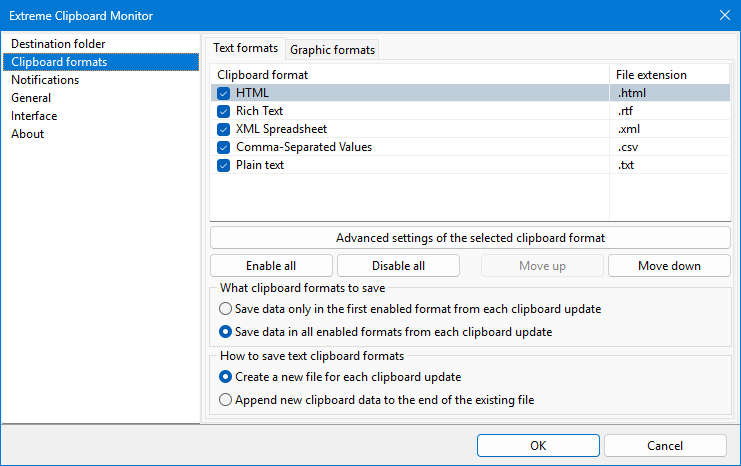
By default, Extreme Clipboard Monitor saves new clipboard data in all currently enabled supported formats. For example, if you copy a page in your browser, this page will appear in the clipboard in both HTML and Plain text formats. So, the software will create 2 new files from a single clipboard update with the same file names and different extensions: .html and .txt.
But if you want only one file in the "best" available format, you can switch the software to the Save data only in the first enabled format from each clipboard update mode. In this mode, you will get only one file in the highest-priority format. You prioritize the clipboard formats by simply moving them up and down the list in the software settings. So, in the above example with the browser page copy, you will get only the .html file in this mode if the HTML format is located higher in the list than the Plain text format.
 Multiple Clipboard Entries in One File
Extreme Clipboard Monitor offers the Append new clipboard data to the end of the existing file mode that allows for the accumulation of any number of clipboard updates in a single file. This can save huge amounts of time in research-focused workflows, creating separate files for different topics where you only need to copy the information you are interested in and toggle the new file creation when you switch to a different topic.
For example, store several pages of a forum thread in one file by simply copying them to your clipboard. Then move to a different thread and store its pages in a different file. You can also create a single combined file with everything you copied during your entire workday. This would make a perfect daily clipboard log file.
Plus, you can set individual separator text for every clipboard format!
 UTF-8 Encoding
Never worry about garbled characters again - all text-based files (.txt, .html, .xml, .csv) are automatically saved in UTF-8 format for maximum compatibility across platforms and devices.
 100% Safe and Secure
Your data stays yours - all files are stored exclusively in your chosen folder. No cloud storage, hidden uploads, tracking, or telemetry. No Internet access required (Internet is only used to check for software updates periodically).
Productivity Features
Use Extreme Clipboard Monitor to its full potential.
 Pause / Resume
Pause and resume the clipboard monitoring anytime
Select Formats
Enable or disable specific clipboard formats to control which files get saved
Instant Files Access
Open any recently saved file right from the tray icon's pop-up menu
Tray icon actions
Assign your most often used actions to the application's tray menu single and double click
Sound Notifications
Get a customizable sound notification when the clipboard is updated, and new files are saved
Visual Notifications
The number of saved files is briefly shown in the tray icon for each clipboard update
Screenshots
Screenshots of different Extreme Clipboard Monitor settings sections and tray icon popup menu.
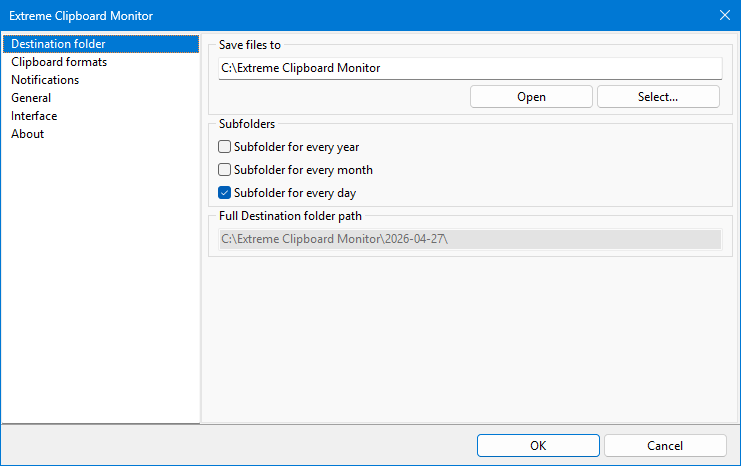
Select the Destination folder where all saved files will be saved
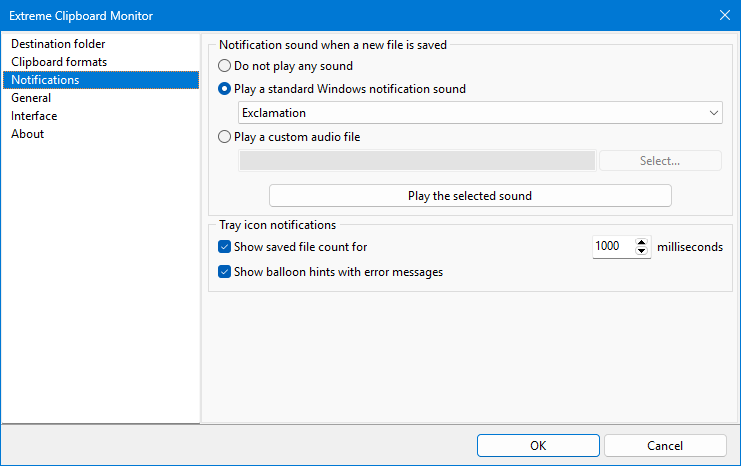
Configure notifications that will be used when clipboard content is saved to files
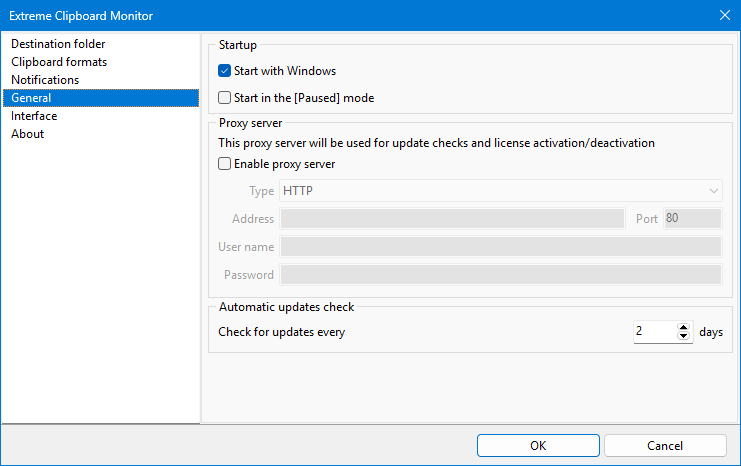
General application settings: auto-start with Windows, proxy server for update checks and license activation, update check interval
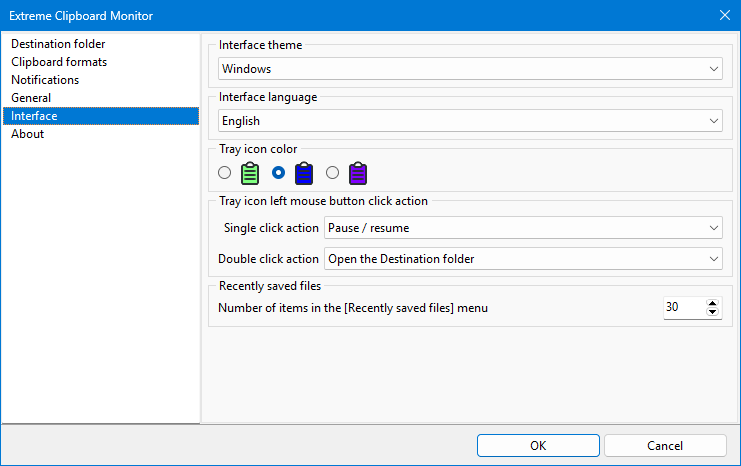
Choose the settings window interface theme, select actions for the application tray icon left mouse button click
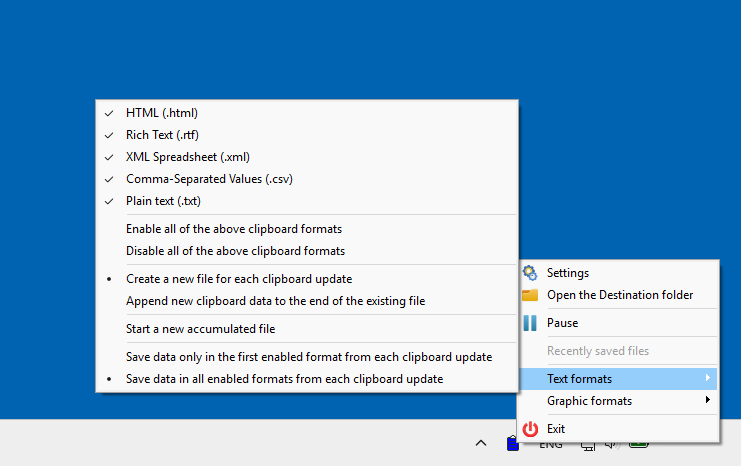
Access all application functions instantly from the tray icon's popup menu

Open any recently saved file from the application's tray icon